
Multiversal Piece PvP, Allies and Trade Menu
Use the PvP switch to control player combat, the Ally menu to manage an alliance, and Inventory to find Trade.
Enable PvP from the top-left menu or Setting → Gameplay and wait five seconds. Both players must have PvP on and be outside a Safe Zone to fight. Open Ally to select a player or check My ALLY; find Trade in the Inventory sidebar.
Enable PvP and Check Safe Zones
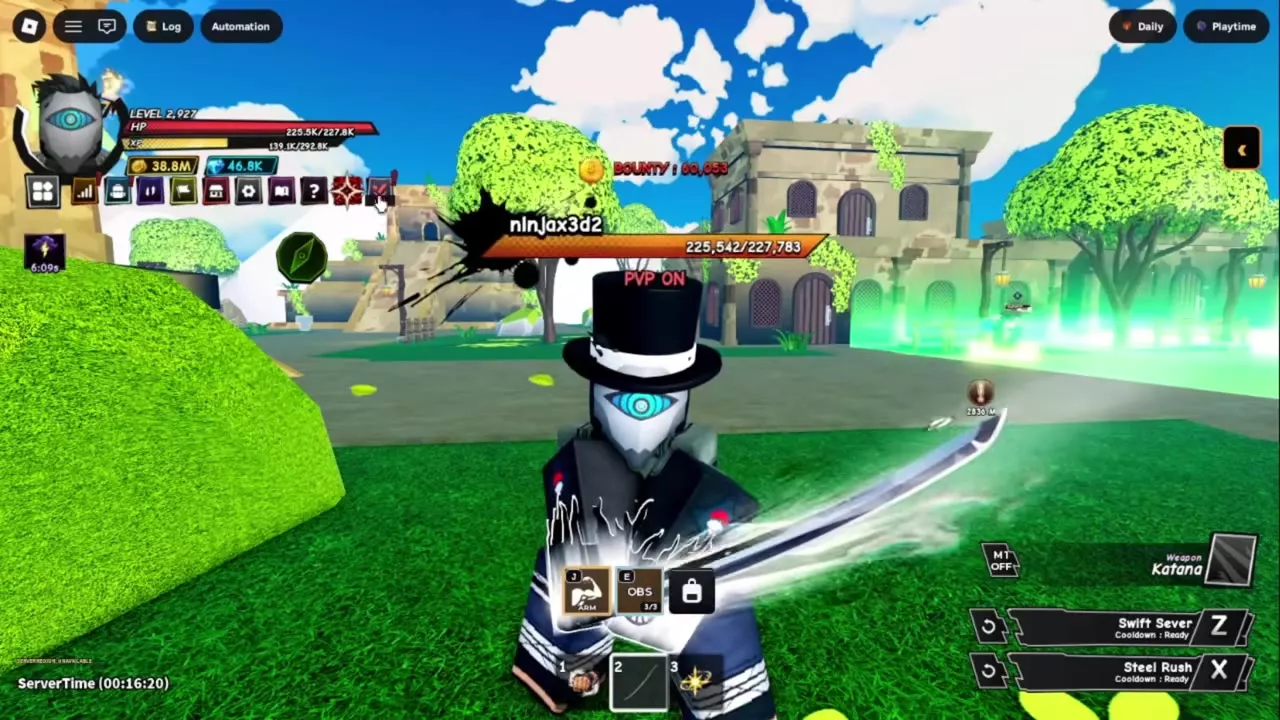
- Open the top-left menu and use the PvP switch, or open Setting → Gameplay and select ENABLE beside PvP.
- Wait through the five-second countdown. A red PVP ON label above your character confirms that PvP is enabled.
- Have the other player enable PvP too, and meet outside the green Safe Zone boundary.
To turn PvP off, use the switch again and look for the green PVP OFF label. PvP settings do not change fights against NPC enemies.
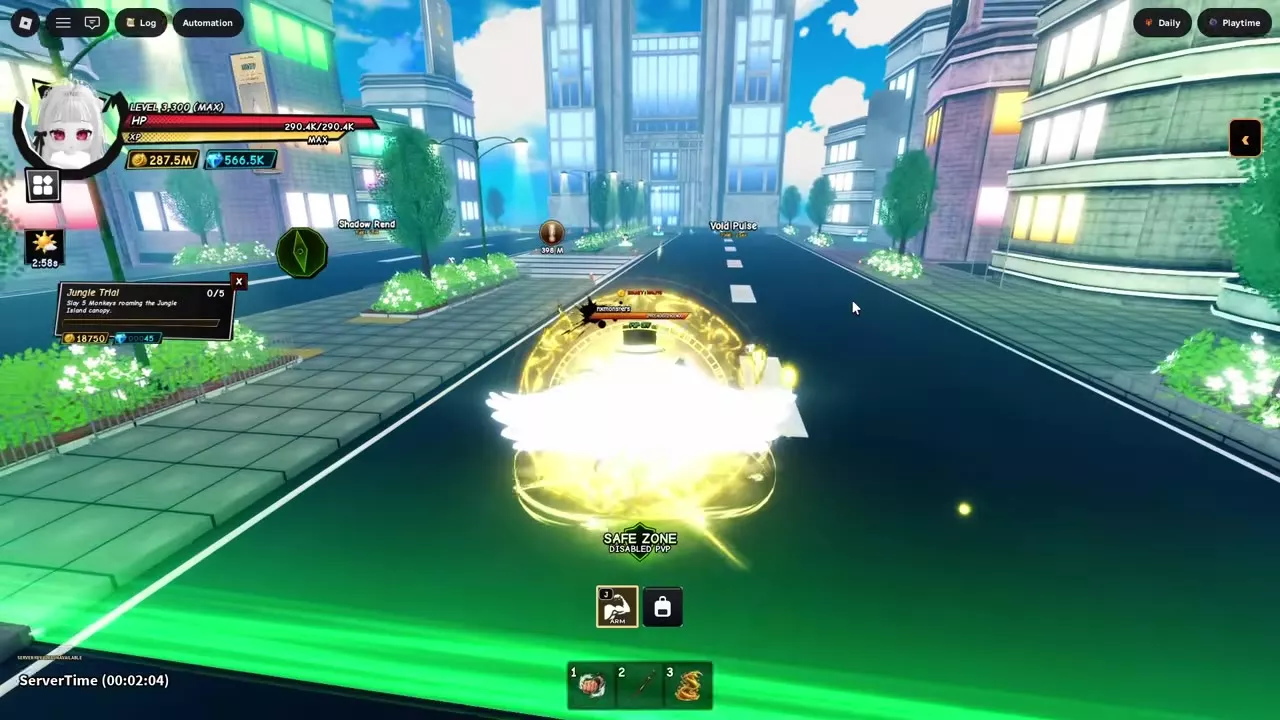
Inside a Safe Zone, the SAFE ZONE and DISABLED PVP messages indicate that player combat is blocked. Cross the green boundary and look for those messages when returning to safety.
Choose an Ally or Join an Activity Together
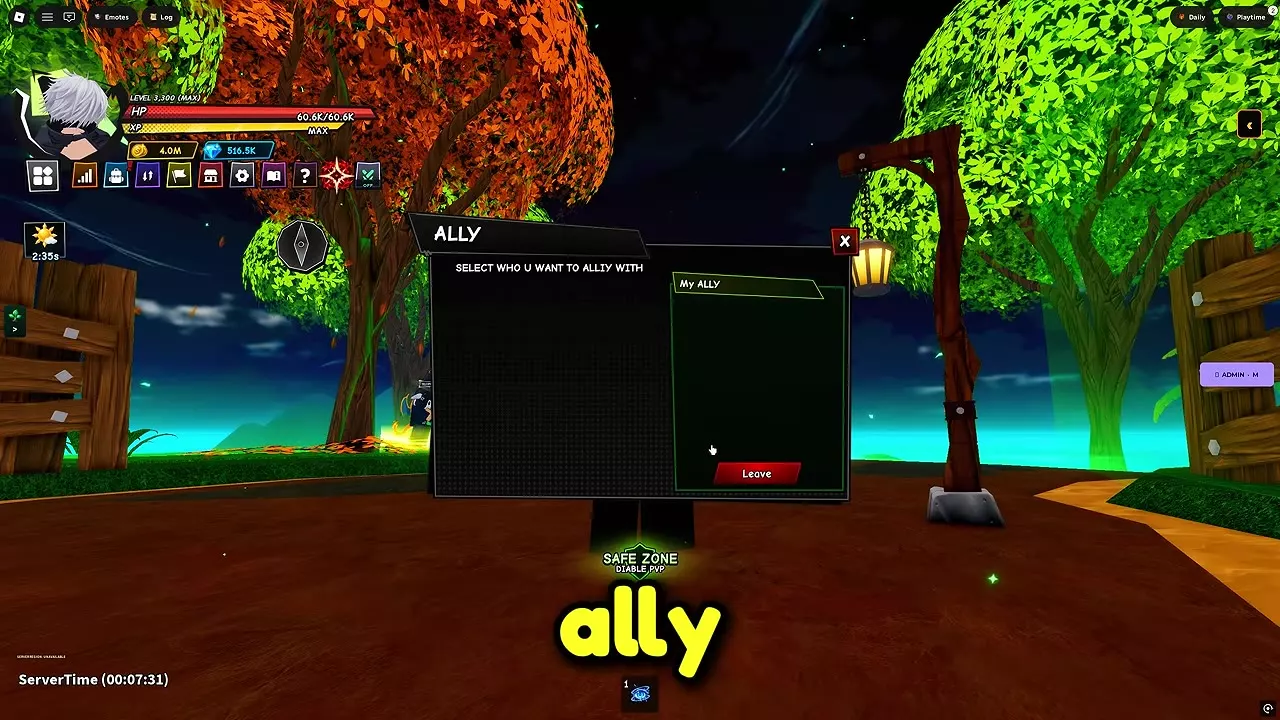
Open Ally from the game menu and select the player you want to ally with. Check My ALLY for your current alliance, or select Leave to leave it.
For a dungeon run, go to the dungeon entrance on Solo Island and use its room portal. Double Dungeon and Hueco Mundo rooms hold 1–4 players. For a Special Grade Raid, reach Grade 1 and open RAID to create a lobby, find a room, or use Quick Join.
Open Trade from Inventory
Open Inventory from the HUD, then select Trade in its sidebar to access player trading.
Find Safe Zones and Group Activities
- Use the island map to find safe areas near arrival points, Teleporters, and other landmarks.
- For the Observation Haki objective to hit five players, arrange to meet willing opponents outside a Safe Zone with PvP enabled on both sides. See the Haki guide for the full unlock path.
- See the dungeon guide for room setup and the Special Grade Raid guide for raid entry and rotation.