
Multiversal Piece Haki Guide for Armament and Observation
The Haki Master on Sky Island teaches both types of Haki. Armament helps you hit Logia targets and deal more damage, while Observation reveals nearby characters and gives you dodge charges.
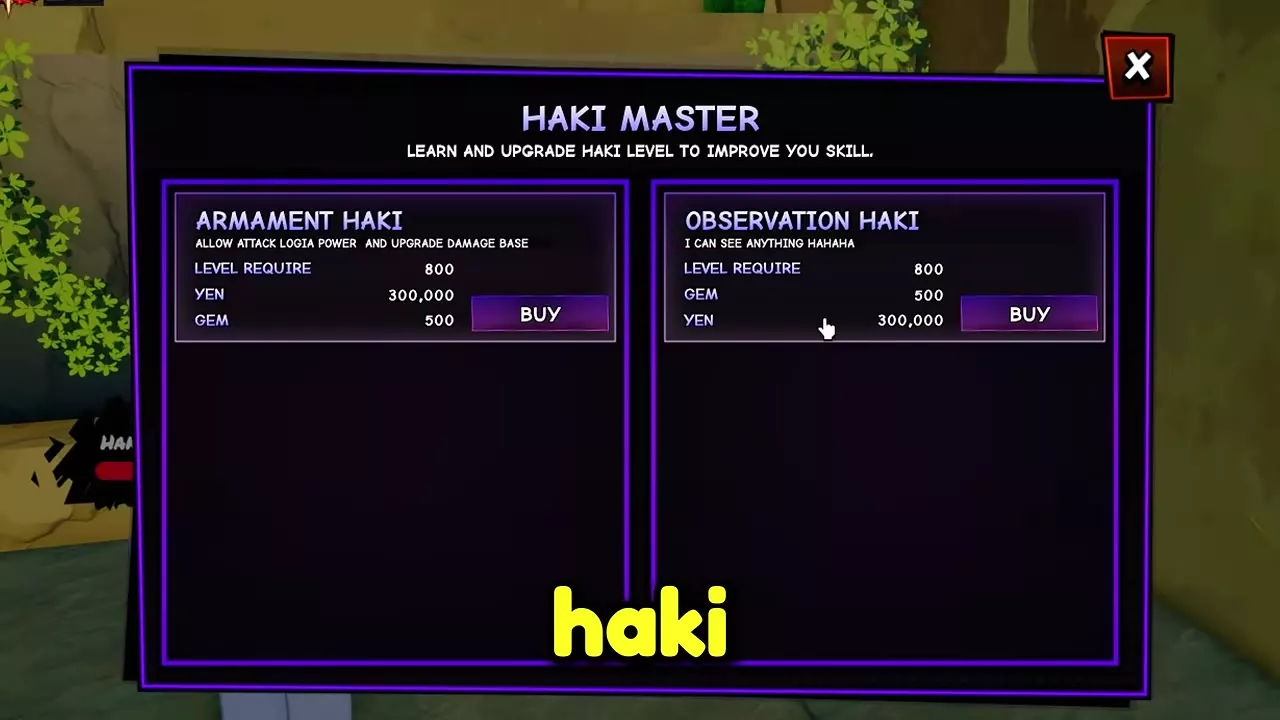
At character level 800, visit the Haki Master on Sky Island and pay 300,000 Yen and 500 Gems per Haki. Armament training covers sword hits on a dummy, Shanks, damage dealt, basic attacks on monsters, and damage taken. Observation training covers dashes, jumps, no-hit monster kills, skill dodges, and no-damage PvP wins. Use Haki Training to track objectives and apply upgrades, and use Setting → AutoSkill to enable automatic activation for either ability after unlocking it.
Haki Master, Costs, and Combat Effects
Each Haki requires character level 800, 300,000 Yen, and 500 Gems to start learning. Bring 600,000 Yen and 1,000 Gems to start both. The Lv. 900+ label on Sky Island refers to the island quests. The Haki Master takes learners at level 800.
| Haki | Active effects |
|---|---|
| Armament Haki | Logia hits, higher base damage |
| Observation Haki | Nearby character outlines, dodge charges |
Buy Armament first if you need to hit enemies with Logia powers or increase your base damage. Buy Observation first if you want to see nearby characters and dodge incoming attacks.
- Open the Teleporter map and select Sky Island.
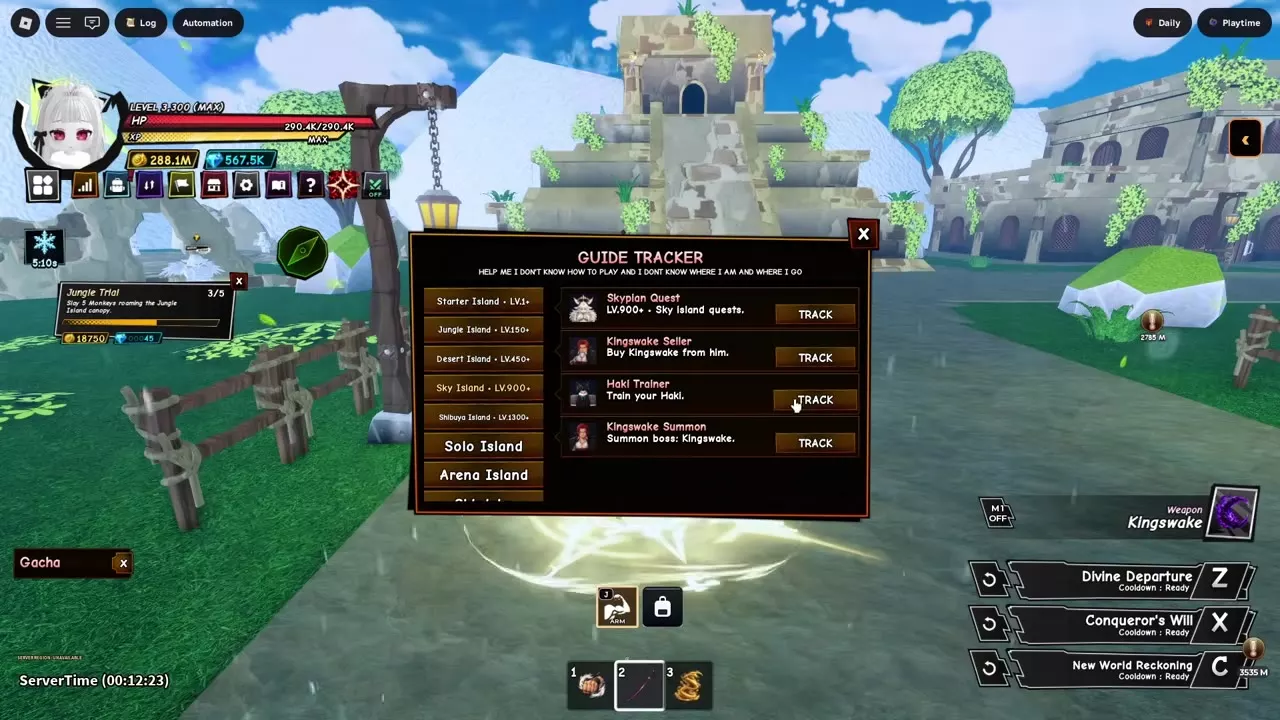
- Open Guide Tracker from the book-shaped Wiki button. Select Sky Island, choose Track beside Haki Trainer, and follow the marker to the Haki Master beside the building stairs.
- Use Train Haki at the trainer. On PC, press E when the interaction prompt appears.
- Select Buy for the Haki you want. When its button reads Learning, close the trainer menu and expand Haki Training on the right to see your acquisition objectives.
Armament Haki Acquisition Tasks
After buying Armament Haki, open Haki Training and find ARM · Attack Dummy. Complete the objectives in tracker order.
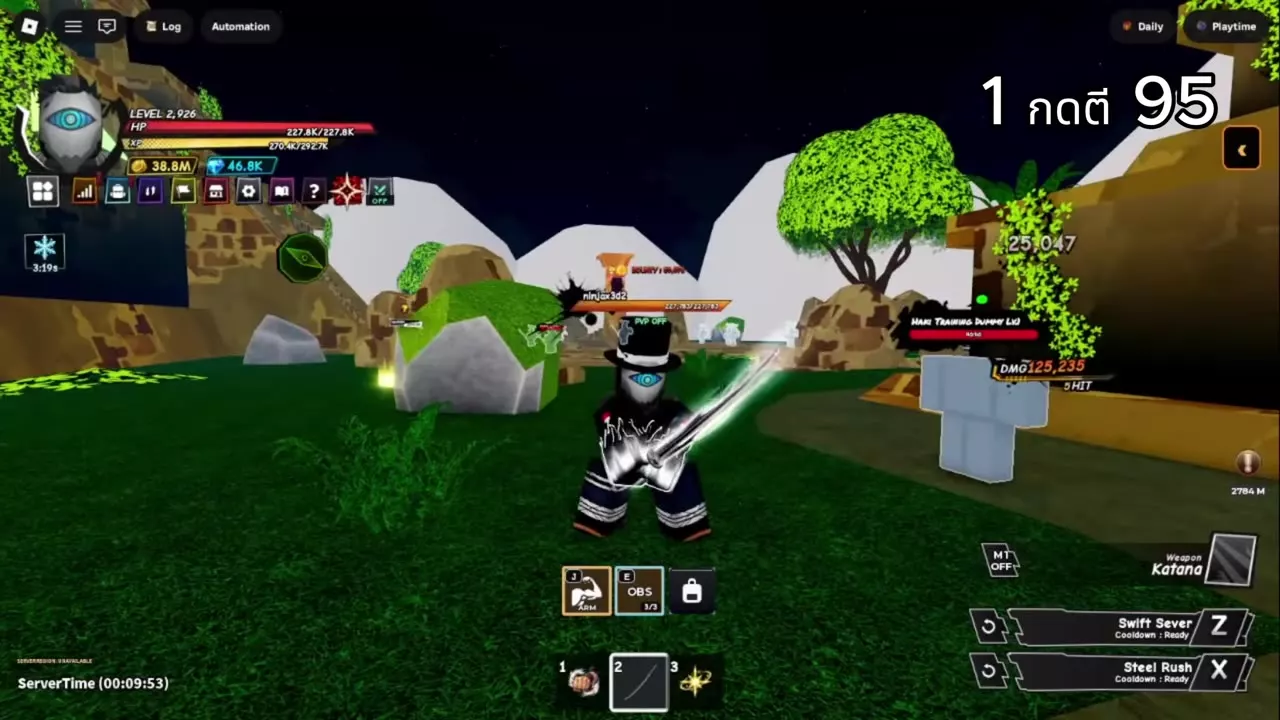
- Land 95 sword hits on the dummy. Equip a sword such as Katana and hit the Haki Training Dummy beside the Haki Master.
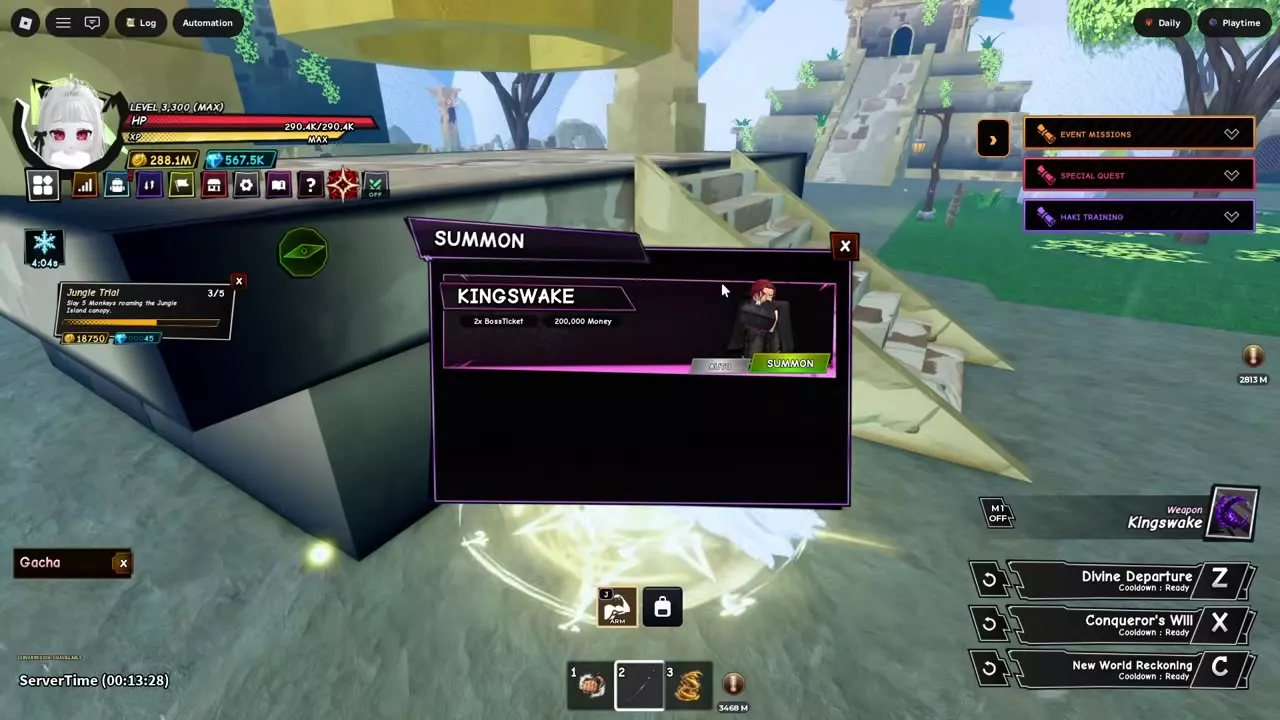
- Attack Shanks. When this objective becomes active, attack Kingswake if the boss is already present. Otherwise, track Kingswake Summon in Guide Tracker and head to the stairs by the large bell. On PC, press E at Summon Kingswake, then choose Summon on the Kingswake row. Each summon costs 2 Boss Tickets and 200,000 Money.
- Deal 150,000 damage. Return to the Haki Training Dummy for a stationary target.
- Hit 150 monsters with M1 basic attacks. Use basic attacks on Sky Sentinels if you want to stay on Sky Island, or use lower-level monsters on Starter Island.
- Take damage from monsters. Let enemies such as Sky Sentinels land hits and use the tracker to see how much damage remains. Stand near a wall if you need to hold your position while they attack.
Finish the fifth objective to unlock Armament Haki.
Observation Haki Acquisition Tasks
After buying Observation Haki, expand Haki Training and follow the OBS counters.
Movement and no-hit kills
- Dash 100 times and jump 100 times. Dash and jump during the same stretch of movement to advance both counters together.
- Defeat 100 monsters without taking a hit. Use low-level monsters on Starter Island so you can finish fights before enemies retaliate. A hit from a monster can reset your no-hit progress.
Skill dodges and no-damage PvP
- Dodge 100 skills. When OBS · Dodge Skills is active and Observation Haki is available, activate it with E on PC or tap OBS on the touch HUD. Let enemies attack so Observation can dodge their skills. Follow Dodge Skills in the tracker for objective progress and Charges on the HUD for available dodges.
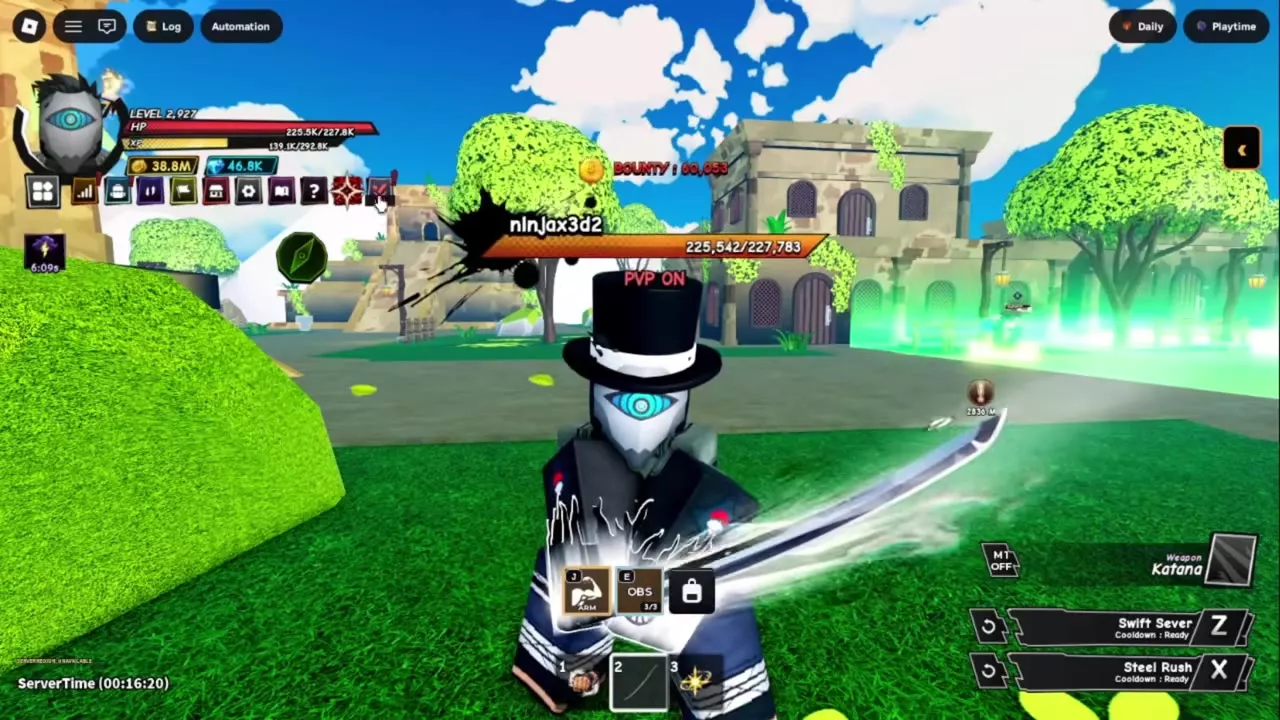
- Defeat five players without taking damage. Use the top-left PvP switch, or open Setting → Gameplay and select Enable beside PvP. Wait five seconds for the red PVP ON label. Fight outside the green Safe Zone boundary against players who also have PvP enabled. A willing opponent who holds their attacks makes it easier to finish without taking damage. Follow OBS · Kill Players (No Damage) to check your count.
Upgrade Haki and Set Up Automatic Activation
Read the training counter and apply upgrades
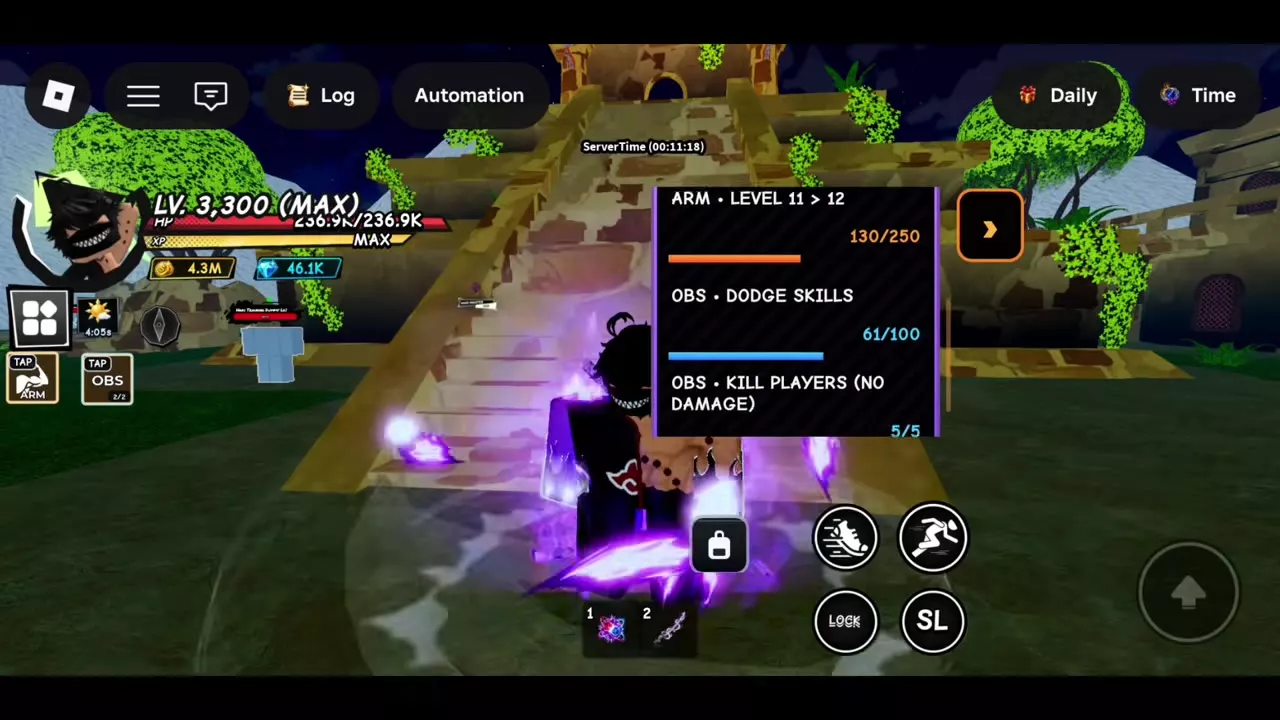
- After unlocking a Haki, open Haki Training on the right or return to the Haki Master. In the sidebar, read the current level transition and its counter together. At the trainer, look for the Train total and any Yen or Gem cost.
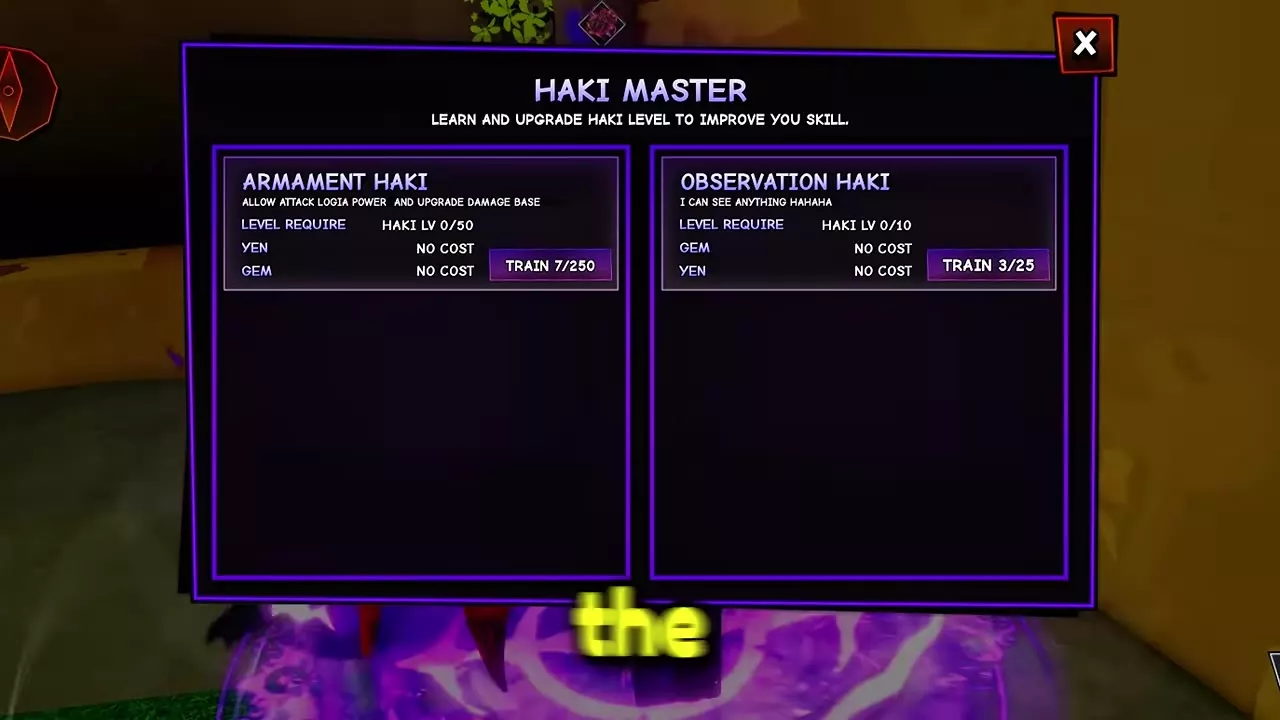
- Complete the current requirement. For Armament, defeat NPCs. Armament level 11 to 12 takes 250 NPC defeats and costs no Yen or Gems. If its counter reads 130/250, you have 120 defeats left. At Haki level 0, the trainer lists a Train target of 250 for Armament and 25 for Observation, with no Yen or Gem cost on either panel.
- Select Upgrade for that Haki when the button becomes available in the sidebar or at the trainer. Then follow the requirement for the next level. Armament caps at level 50, and Observation caps at level 10.
Turn on Auto Armament or Auto Observation
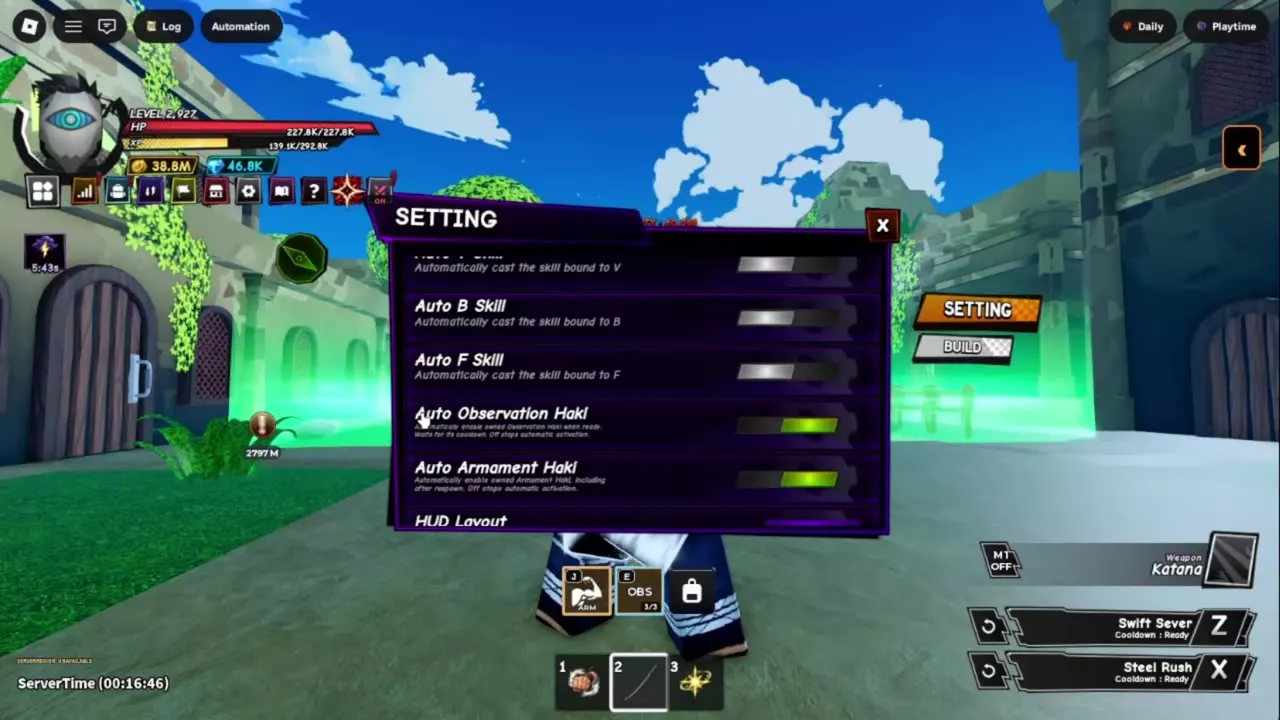
- Expand the left-side menu and select the gear icon to open Setting.
- Scroll down to AutoSkill, just above HUD Layout.
- Turn on Auto Armament Haki, Auto Observation Haki, or both for the abilities you have unlocked. A green switch means it is on.
Auto Armament Haki activates Armament automatically, including after respawn. Auto Observation Haki activates Observation when it is ready and waits out its cooldown before activating it again. Turn off either switch to stop automatic activation for that ability.
Kingswake, PvP, and Combat Settings
- Find summon stations, compare fees, and see where to get the required items in Boss Summon Costs and Tickets.
- Check Safe Zones and find the Ally and Trade menus in PvP, Allies and Trade.
- Set up Auto M1, quest repeat, and mobile HUD buttons in Controls, Settings and Auto Farm.