
Multiversal Piece Collection Index and Milestone Rewards
Use the Collection Index in Multiversal Piece to find acquisition instructions, track discoveries, and claim milestone rewards.
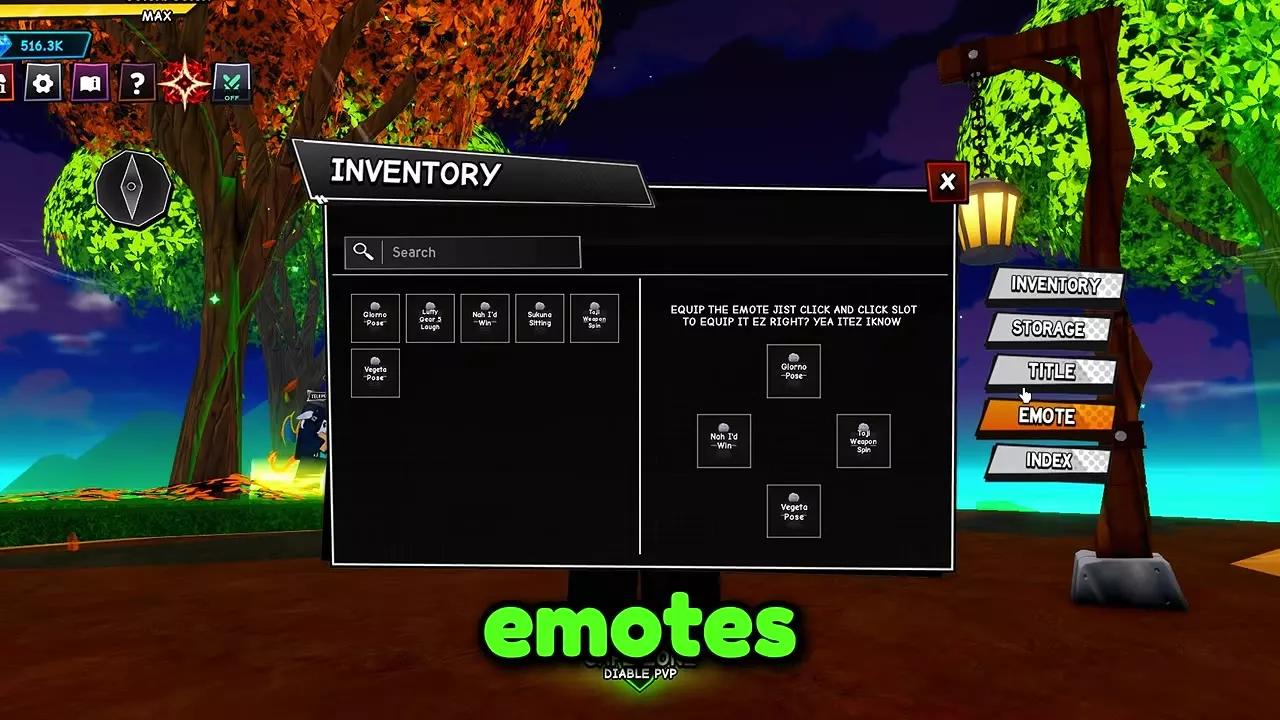
Open Inventory → Index to browse entries and their Obtainment instructions. Reach a milestone on its matching collection track, then use Claim or Claim All. To equip an emote, open Inventory → Emote, select the emote, and select a slot.
Collection Tracks and Milestone Rewards
The Index separates discoveries into three collections:
- Player: items and abilities used by your character.
- Enemy: enemies you discover by defeating them.
- Materials: resources and other collectible entries. A material stays registered after you obtain it once.
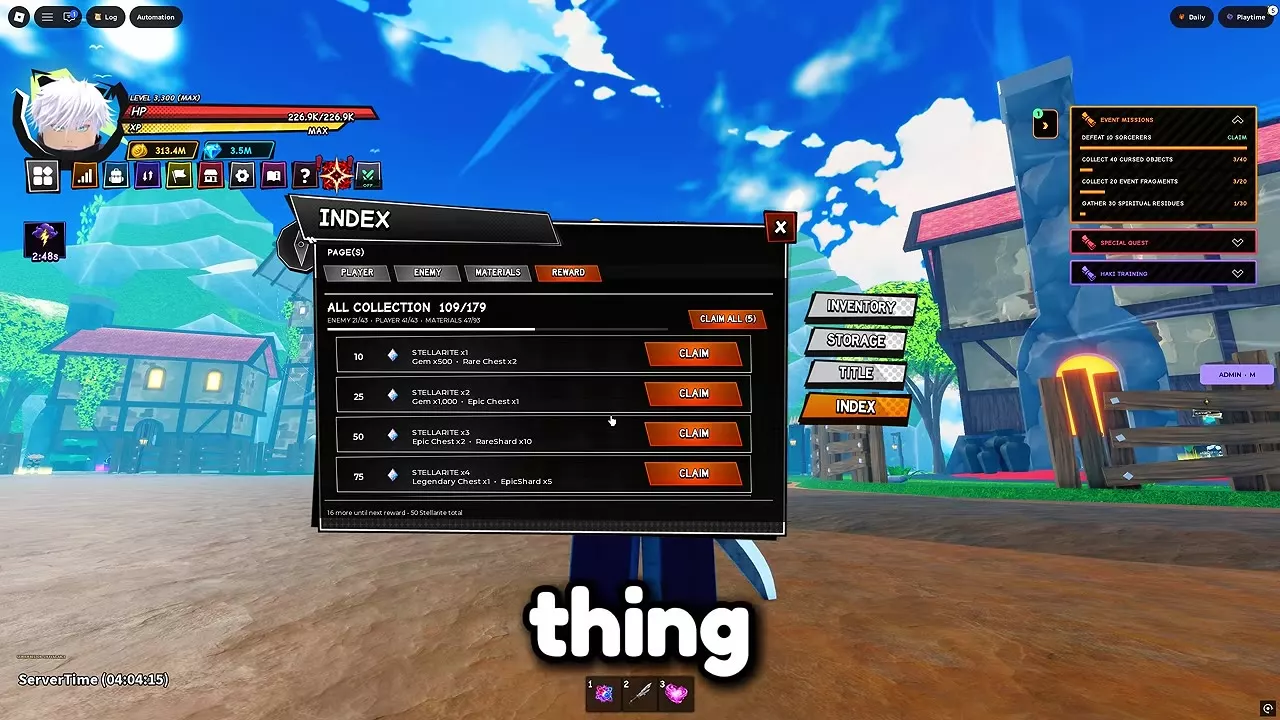
Open Reward or select View Rewards to check milestones. Player Collection rewards use your Player discovery count; All Collection rewards use total discoveries across the collections.
Player Collection rewards
| Discoveries | Reward |
|---|---|
| 5 | 5,000 Money |
| 10 | 50 Gems |
| 20 | 1 Rare Chest |
| 30 | 150 Gems |
| 40 | 1 Epic Chest |
All Collection rewards
| Discoveries | Rewards |
|---|---|
| 10 | 1 Stellarite, 500 Gems, 2 Rare Chests |
| 25 | 2 Stellarite, 1,000 Gems, 1 Epic Chest |
| 50 | 3 Stellarite, 2 Epic Chests, 10 Rare Shards |
| 75 | 4 Stellarite, 1 Legendary Chest, 5 Epic Shards |
To work out how many discoveries remain, subtract your current count on the relevant track from the milestone. For example, a Player count of 23/47 leaves seven discoveries until the 30-discovery Player reward; 47 is the collection size.
Find Items, Sources, and Claimable Milestones
In Inventory, browse All or an available category, or enter part of an item’s name in Search. Select a card to inspect it; item stacks show quantity and active gear is marked Equipped. Use Equip or Unequip on an eligible item’s detail card to change it.
To look up an Index entry and claim its rewards:
- Open Inventory → Index and choose Player, Enemy, or Materials.
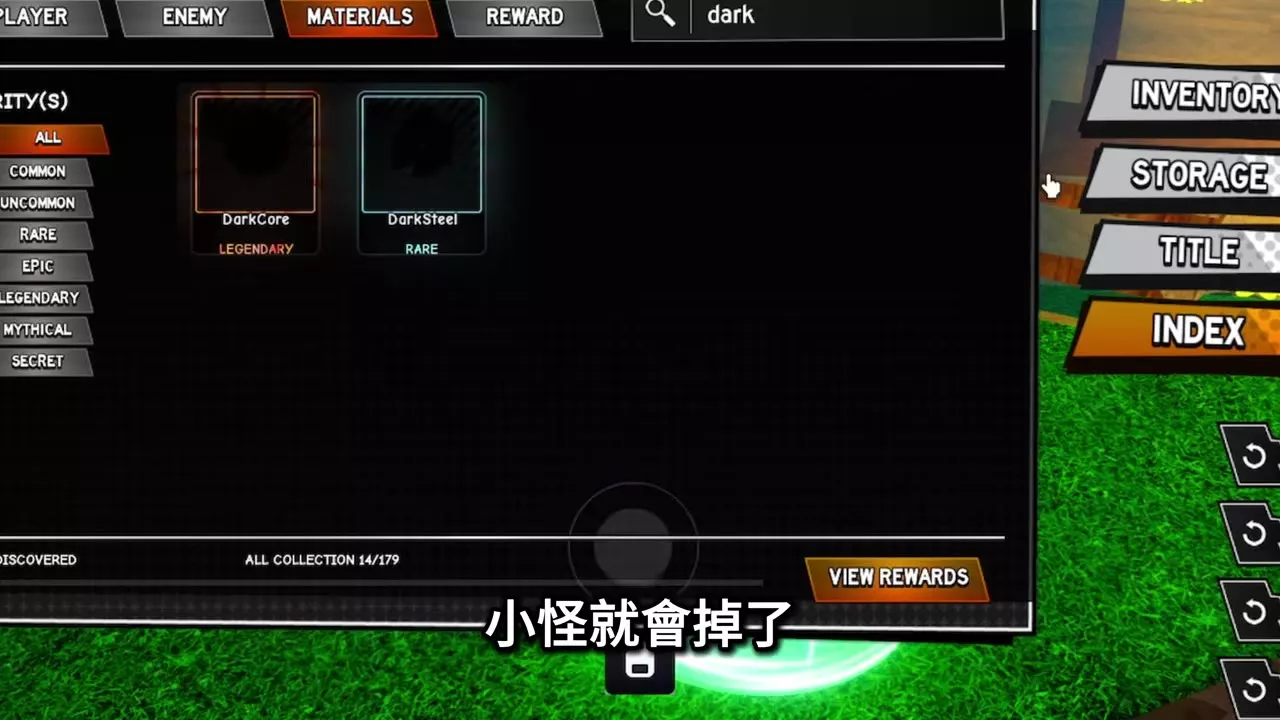
- Search by name or filter by rarity: Common, Uncommon, Rare, Epic, Legendary, Mythical, or Secret. Choose All to clear the rarity filter.
- Select a card and open Obtainment for its acquisition instructions. A question-mark card can also have an Obtainment panel. For a material such as DarkSteel, scroll through the panel to see listed sources, locations, and base chances.
- Obtain items or abilities and defeat enemies to add discoveries. Check the count for the reward track you want.
- Open Reward or View Rewards. Select Claim beside an eligible milestone, or Claim All to collect eligible rewards together. Claimed cards show Claimed.
Set an Emote from Inventory
- Open Inventory → Emote.
- Browse or search for an emote in your list, then select it.
- Select the slot you want to use and check that it displays the chosen emote.
The Materials Index lists these Mythical emotes: Giorno Pose, Luffy Gear 5 Laugh, Nah I'd Win, Sukuna Sitting, Toji Weapon Spin, and Vegeta Pose. In the equip list, Luffy Gear 5 Laugh is shortened to Gear 5 Laugh, and Toji Weapon Spin to Weapon Spin.
Titles, Badges, and Material Sources
Articles and guides
2Multiversal Piece Titles and Bonuses
Compare Multiversal Piece titles for EXP, Money, Gems, and Luck. Learn how to equip or display a title and buy Jujutsu Legend for 3,000 Faction Points.
Multiversal Piece Roblox Badge Requirements
Find all ten Multiversal Piece Roblox badge requirements, including Perfect Resonance, Dungeon Veteran and Beyond Limits.