
Multiversal Piece Gardening: Plant Fruit, Harvest and Add Plots
Grow stored fruit in your personal Garden, manage ripe crops and unlock more space for planting.
Store a physical fruit, then speak to the Garden Keeper on Jungle Island and choose Go to Garden. Plant an owned fruit in an empty unlocked plot, use Manage when it is Ready, and enable Keep Mutated when using Auto Harvest. Upgrade Garden Plots to unlock more planting space.
Store a Fruit and Enter Your Garden
Select the physical fruit in your hotbar and choose STORAGE from the Fruit menu. You need space for that fruit type; the starting allowance is one of each type.
On Jungle Island, approach the Garden Keeper and press E. Choose Go to Garden and confirm the transfer to enter your personal Garden. The Garden Keeper also offers Open Bag for your Harvest Bag and How to Play for in-game instructions.
Plant, Harvest, and Keep Mutated Crops
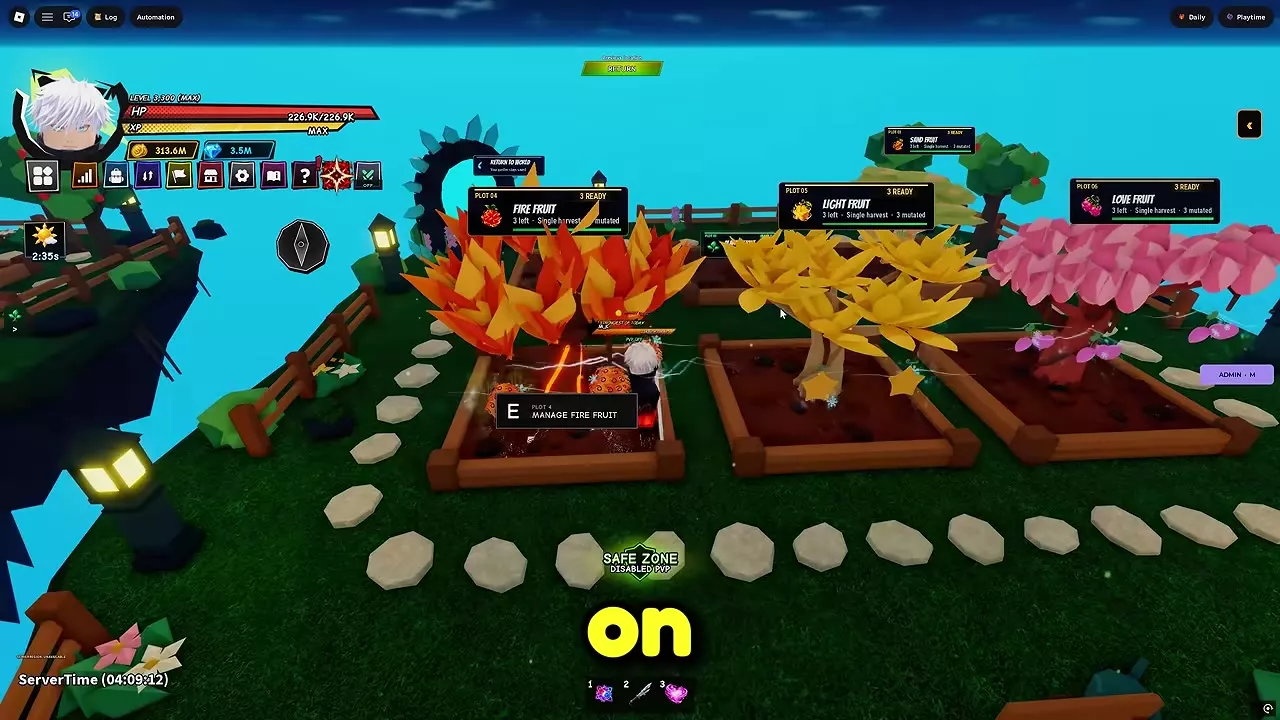
- Go to an empty, unlocked plot, choose Plant a Fruit, and select an owned fruit.
- When the plot shows Ready, approach it and press E at the fruit's Manage prompt. Use the management interface to harvest.
- Check the plot label for its Ready and mutated counts. If you use Auto Harvest and want to retain mutated crops, turn on Keep Mutated in the plot settings.
The Harvest Bag has a search box and Stored, Pending, and Materials views. Select Return in the Garden to go back to your previous location.
Unlock More Planting Plots
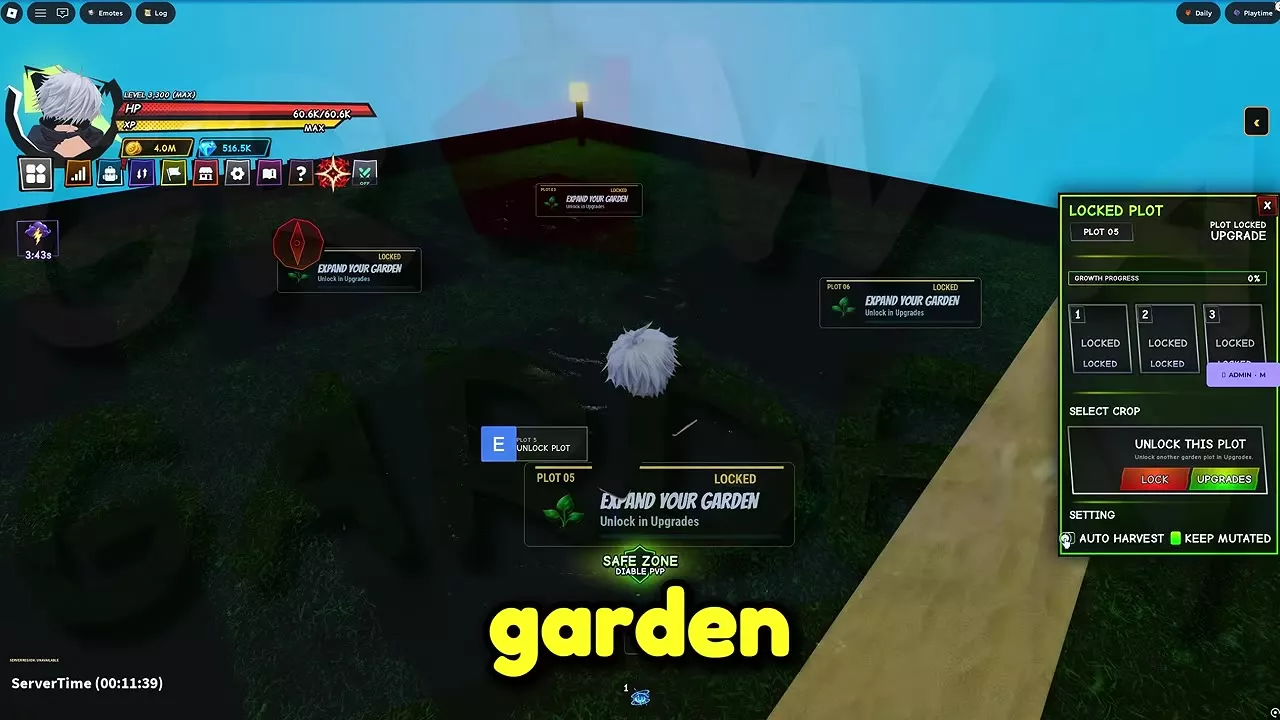
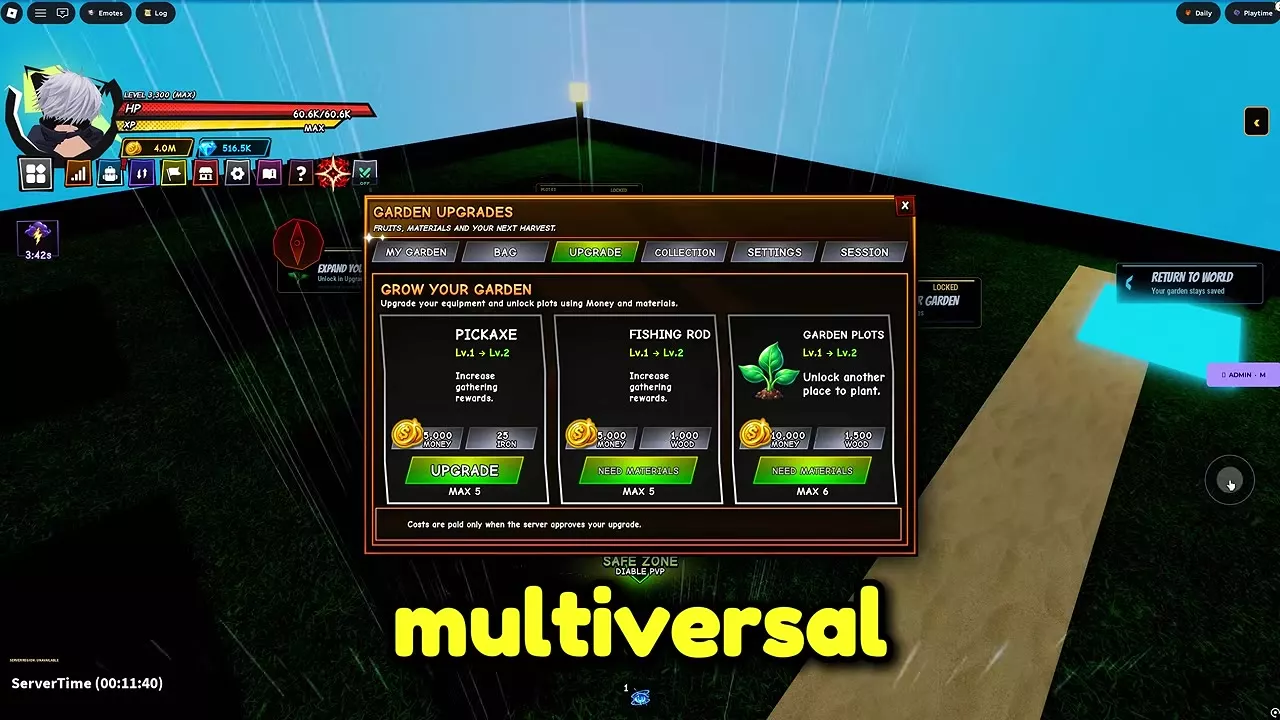
Approach a locked plot and press E. Its Unlock This Plot panel directs you to Upgrades. Open the Upgrade tab, find Garden Plots, and select Upgrade once you have the resources shown for the next level.
The Level 1 to Level 2 upgrade costs 10,000 Money and 1,500 Wood and unlocks another place to plant. Garden Plots reaches Level 6.
Fruit Storage and Gathering Upgrades
- Find more fruit and storage options in the fruit roll and storage guide.
- Save Wood from early island combat for plot upgrades; see material sources for other uses.
- Weather affects fruit-tree growth. Check weather effects when planning gathering activities.