
How to Roll, Eat, and Store Devil Fruits in Multiversal Piece
Get a physical Devil Fruit at Starter Island’s Fruit Gacha, then choose whether to use its power or save it for later.
Use Guide Tracker to find Fruit Roll on Starter Island. At Fruit Gacha, press E for a 500-Gem single roll or R for a ten-roll. Select a physical fruit in your hotbar and choose EAT, STORAGE, or DROP. You start with one storage slot per fruit type.
Find Fruit Roll on Starter Island
- Open Guide Tracker with the book icon.
- Under Starter Island, select TRACK next to Fruit Roll.
- Follow the marker to the stall labeled Fruit Gacha and approach it to see the roll prompts.
For more tracking destinations, see NPC locations and Guide Tracker.
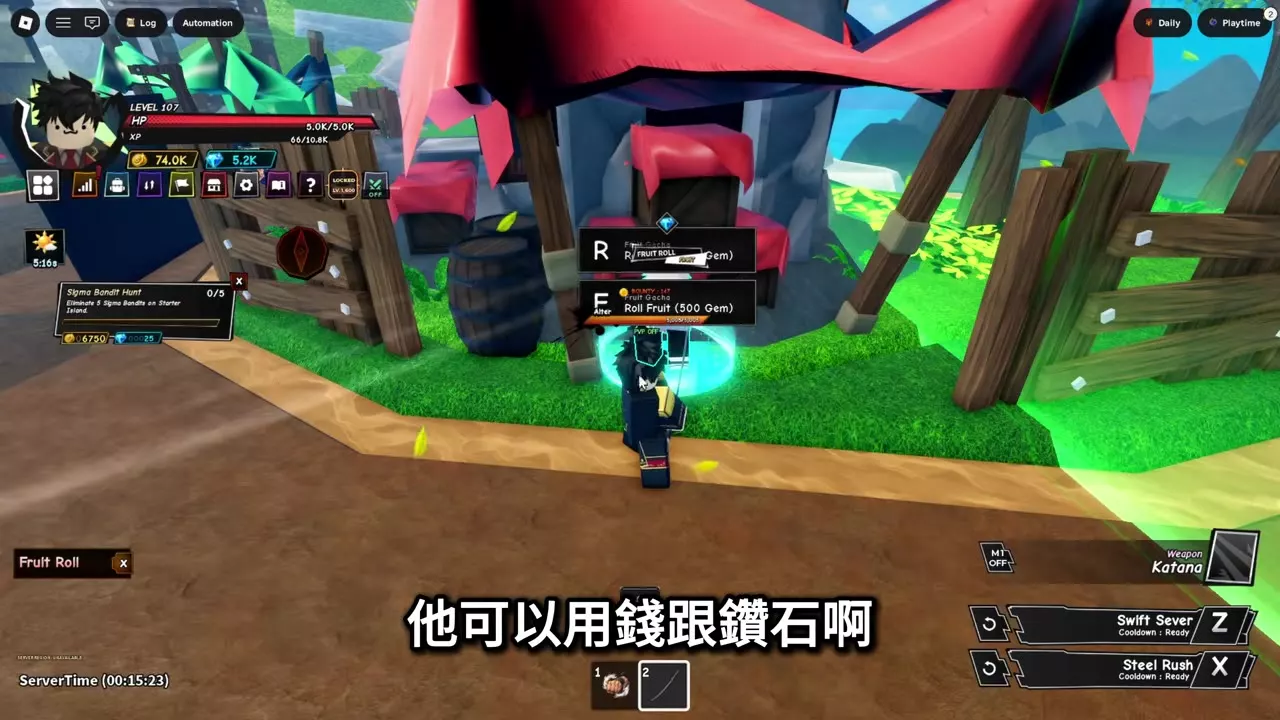
Gem Roll Prices and Controls
| Action | Control | Price |
|---|---|---|
| Roll one fruit | E | 500 Gems |
| Roll ten fruits | R | 2,000 Gems |
At the 2,000-Gem price, a ten-roll averages 200 Gems per fruit and saves 3,000 Gems compared with ten single rolls. You can repeat ten-rolls, and a batch can contain multiple copies of the same fruit. Read the results at the top of the screen and check your hotbar for the fruits.
Another Fruit Gacha panel displays R: Roll x10 for 5,000 Gems alongside the 500-Gem single roll. Read the price on your panel before rolling. Fruit Gacha also offers a Money option.

Eat, Store, Drop, or Pick Up a Fruit
Select a physical fruit in your hotbar to open the FRUIT menu, then choose an action:
- EAT: Consume the fruit to gain its Power. Select the new Power in your hotbar to open its skill bar.
- STORAGE: Save the physical fruit for later, provided you have space for that fruit type. Open Inventory and select the Fruits filter to find it.
- DROP: Put the fruit on the ground. Approach it and press E at the Pick prompt to collect it again.
If a one-minute ground-fruit cleanup warning appears, pick up any fruit you want to keep before the countdown ends. Stored fruit can also be planted in the Garden.

Expand Storage for Every Fruit Type
You start with one storage slot for each fruit type. To keep extra copies, open SHOP and select +1 Fruit Storage. Each purchase costs 90 Robux and permanently adds one slot to every current and future fruit type. Fruits already in storage remain there.
Purchases stack: one upgrade gives you two slots per type, and two upgrades give you three. On the product page, choose BUY for your own storage or GIFT to give the upgrade to another player.
Fruit Powers and Gardening
Compare moves and early uses in the Devil Fruits and Powers directory. To put a stored fruit to work in a plot, visit the Garden Keeper on Jungle Island and follow the gardening guide.