
Multiversal Piece Stat Points, Auto Allocation, and ReStats
Spend stat points on the attacks and survivability your Multiversal Piece build needs, then use ReStats when you want to change your allocation.
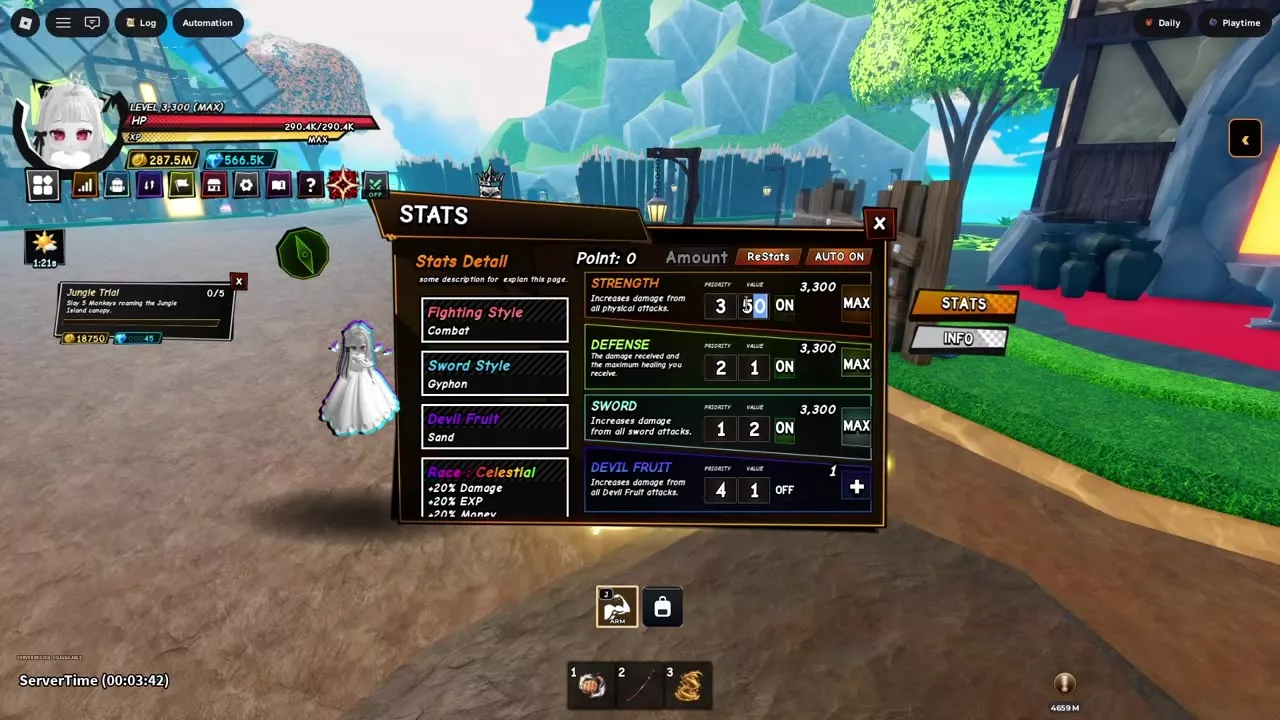
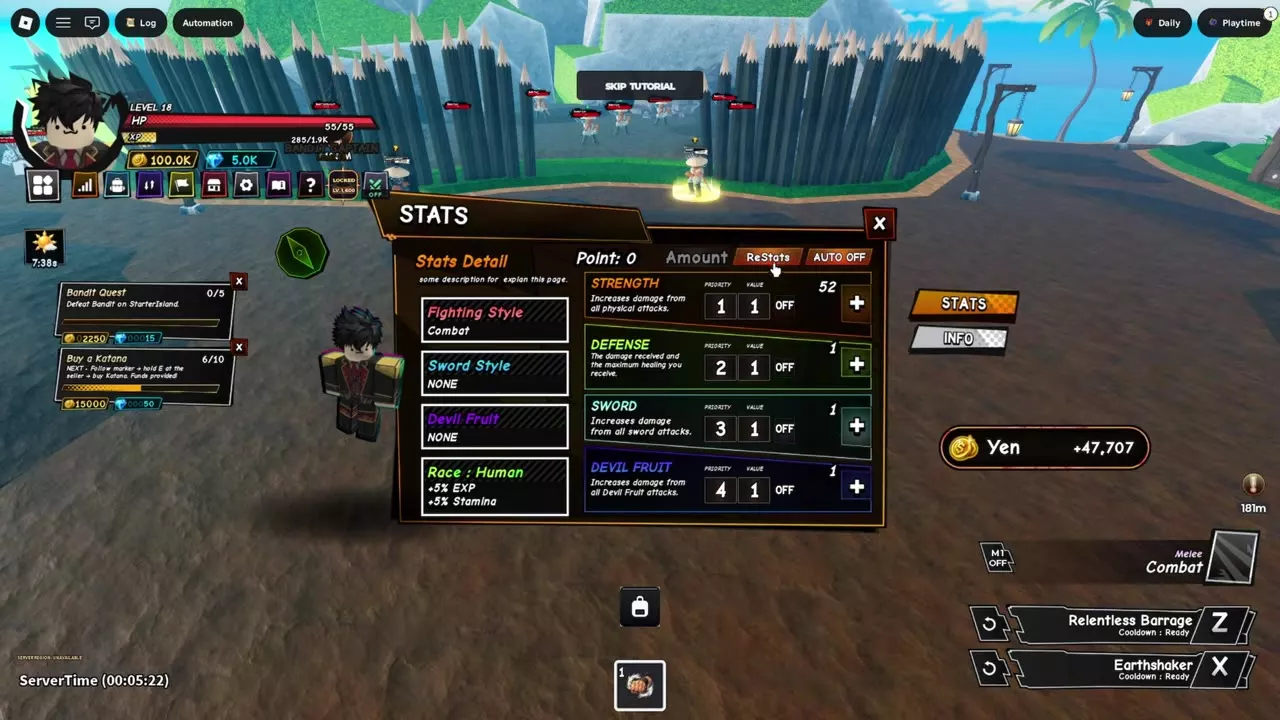
Open STATS, set Amount, and press the + beside a stat to spend points manually. For automatic allocation, turn on AUTO and the desired rows, then set their Priority and Value. ReStats returns spent points to Point and resets all four base stats to 1.
What the Four Stats Do
| Stat | Effect |
|---|---|
| Strength | Physical attack damage |
| Defense | Damage taken, HP, recovery |
| Sword | Sword attack damage |
| Devil Fruit | Devil Fruit attack damage |
Each stat starts at 1 and caps at 3,300. A capped row displays MAX.
For early Katana farming, start with a roughly even Sword and Defense split. Put more into Sword when faster kills are the priority, or favor Defense when incoming damage is stopping you from staying in the fight. A Devil Fruit-focused build can invest in Devil Fruit and Defense instead.
Spend and Auto-Allocate Points
Spend points manually
- Open STATS from the main menu and check your available Point balance.
- Turn the top AUTO switch off.
- Set Amount, then press + beside Strength, Defense, Sword, or Devil Fruit. The points move from your Point balance into that stat.
Spending a point also completes the Starter tutorial's stat-point objective.
Set up AUTO
- In STATS, turn on the top AUTO switch.
- Turn on each stat row you want to raise and leave the other rows off.
- Set Priority and Value for each enabled row. Priority 1 is processed first, followed by higher numbers; Value is the number of points assigned when that row's turn comes.
- Check the Point balance and enabled rows after allocation. AUTO can also spend points earned while leveling.
For a sword build with three points available, set Sword to Priority 1 and Value 2, and Defense to Priority 2 and Value 1. The first two points go to Sword and the third goes to Defense.
Reset Points and Read Bonus Sources
Reset with ReStats
- Open STATS and turn AUTO off so the refunded points are available to direct yourself.
- Select ReStats. All four base stats return to 1, and spent points return to the Point balance.
- Spend the refund manually, or configure your chosen rows and turn AUTO back on.
For example, resetting Strength after raising it from 1 to 52 returns 51 points. If three stats are at 3,300 and the fourth is at 1, ReStats returns 9,897 points: 3,299 from each raised stat.
Read INFO
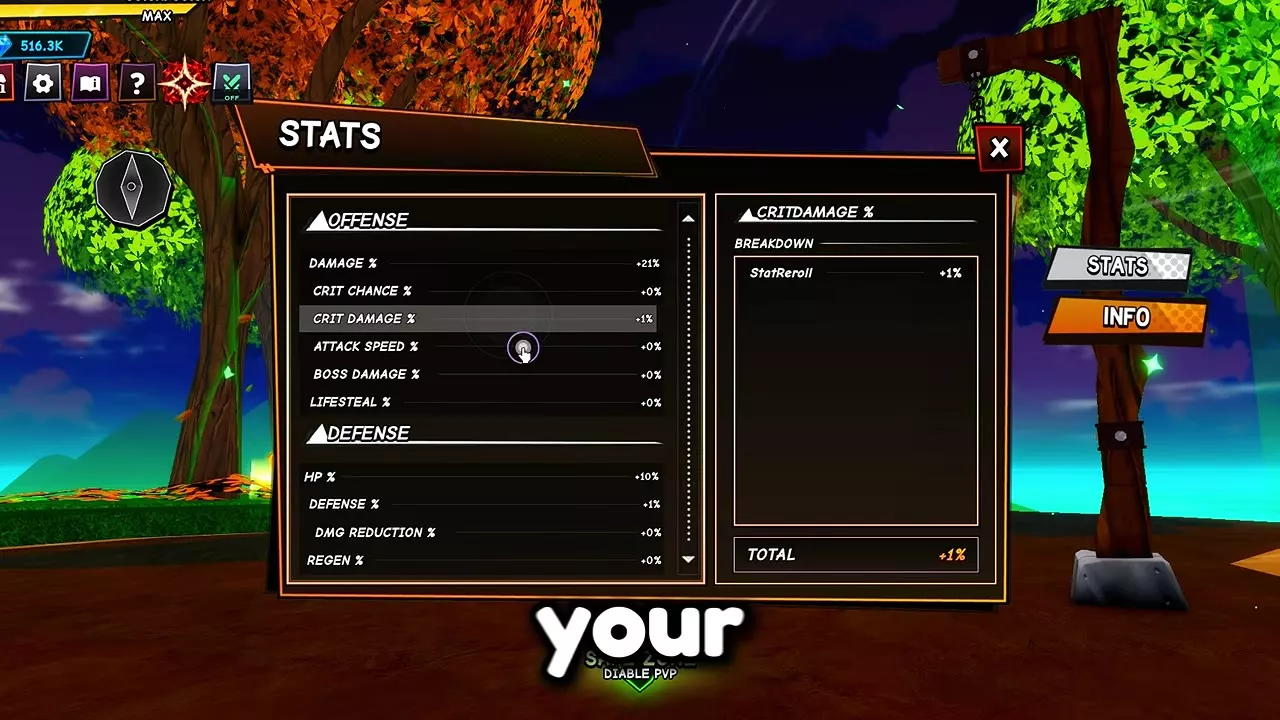
Select INFO in STATS, then select a percentage stat. BREAKDOWN lists its individual contributions, and TOTAL shows their combined bonus. Scroll through the groups to find:
- Offense: Damage, Crit Chance, Crit Damage, Attack Speed, Boss Damage, and Lifesteal.
- Defense: HP, Defense, Damage Reduction, Regen, and PvP Defense.
- Utility: Money, EXP, Luck, Gem, Loot, and Elemental Drop.
For example, a setup with +20% Damage from Race and +1% from StatReroll shows a +21% Damage total.
Stat Rerolls and Build Choices
ReStats changes your base point allocation. The separate Stat Rerolls system on Solo Island changes ranked percentage bonuses.
For complementary upgrades and loadouts, see the Skill Tree guide and builds for farming and bosses.