
Multiversal Piece Glyph Guide: Equip, Upgrade, and Activate Resonance
Glyphs add bonuses to weapons and abilities in Multiversal Piece. Collect pieces in dungeons, then visit Glyph Keeper to equip and upgrade them.
Get Glyphs from dungeons on Solo Island and take them to Glyph Keeper on Starter Island. Equip Piece 1 and Piece 2 from the same set on the same weapon or ability to activate 2-Piece Resonance. Check AscendInfo for each piece’s next upgrade cost and success rate.
Get Glyphs and Find Glyph Keeper
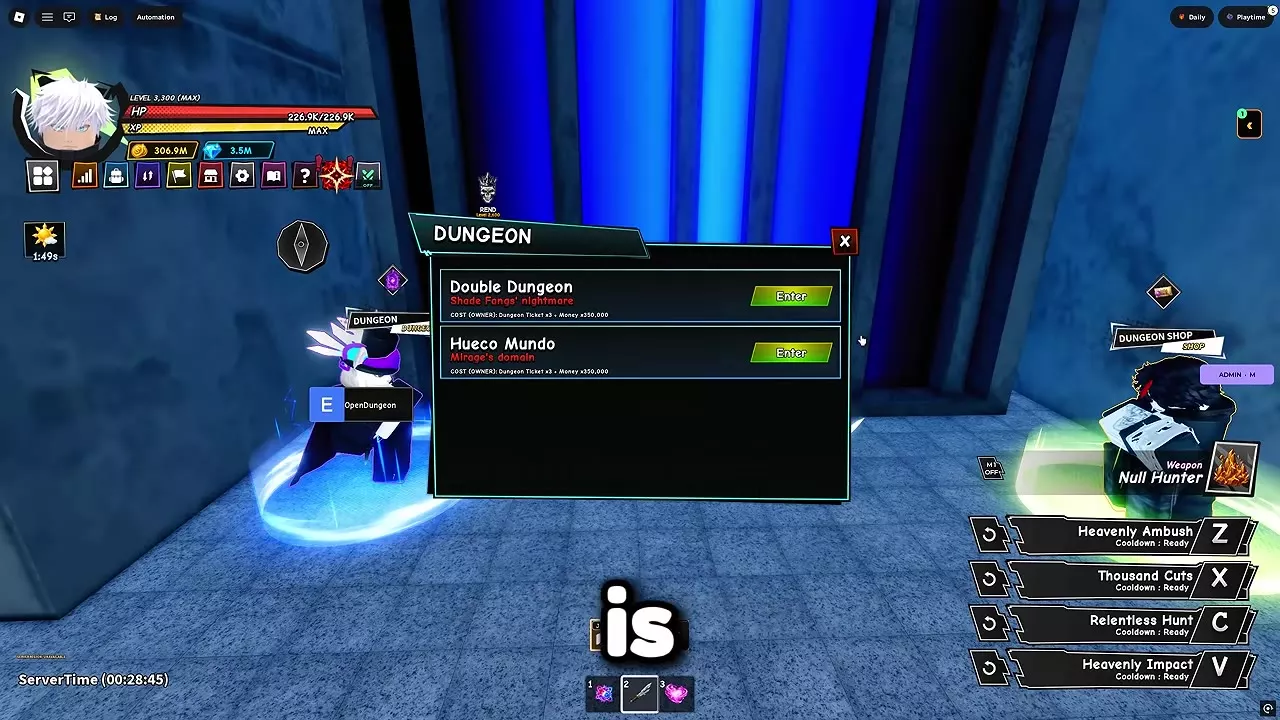
Glyphs come from dungeons on Solo Island. At the blue entrance, interact with the Dungeon NPC and choose Double Dungeon or Hueco Mundo. Start on an easier difficulty while learning the waves; the dungeon guide covers entry and each map.
On Starter Island, open the book icon for Guide Tracker, find Glyph Keeper and select Track. Follow the marker, interact with the NPC and open Glyphs.
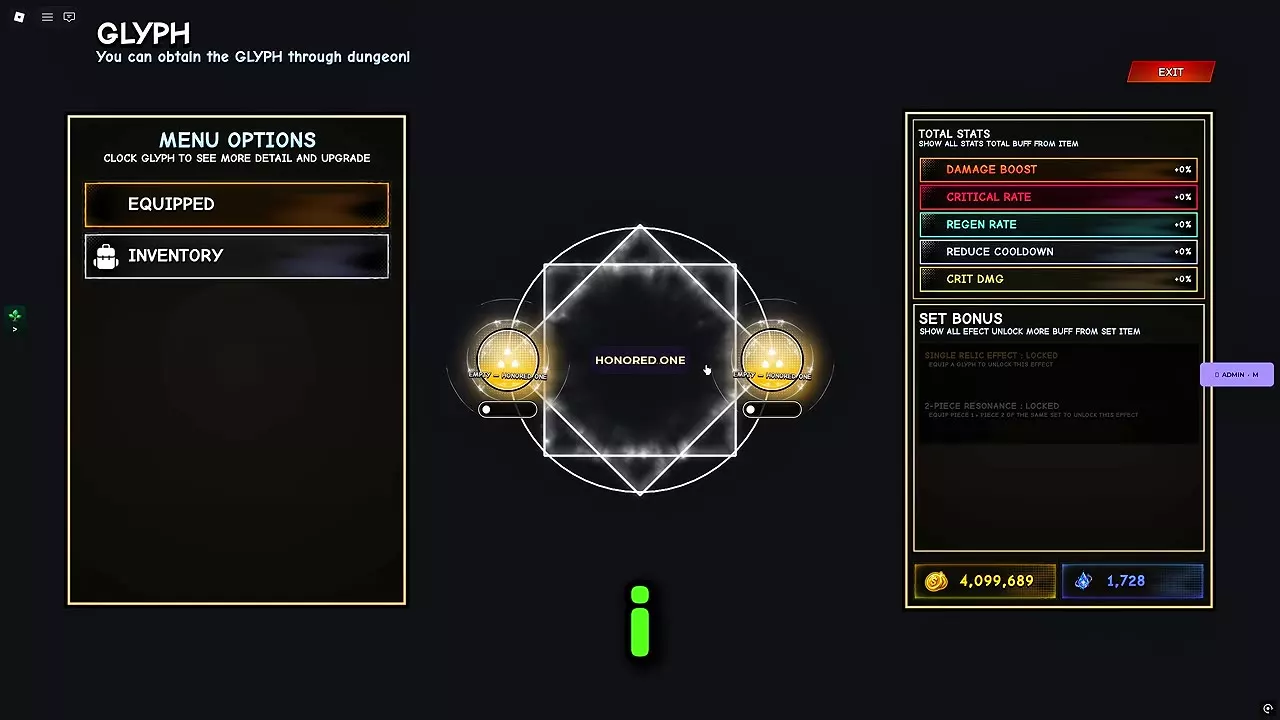
Each weapon or ability has two Glyph slots. Select Equipped to inspect its slots and Total Stats to see its combined Damage Boost, Critical Rate, Regen Rate, Cooldown Reduction and Critical Damage bonuses.
Equip Pieces and Activate 2-Piece Resonance
To activate a set bonus, collect Piece 1 and Piece 2 from the same set and equip both to one weapon or ability.
- At Glyph Keeper, choose the weapon or ability you want to strengthen and open Inventory.
- Select the set’s Piece 1 and equip it to one slot.
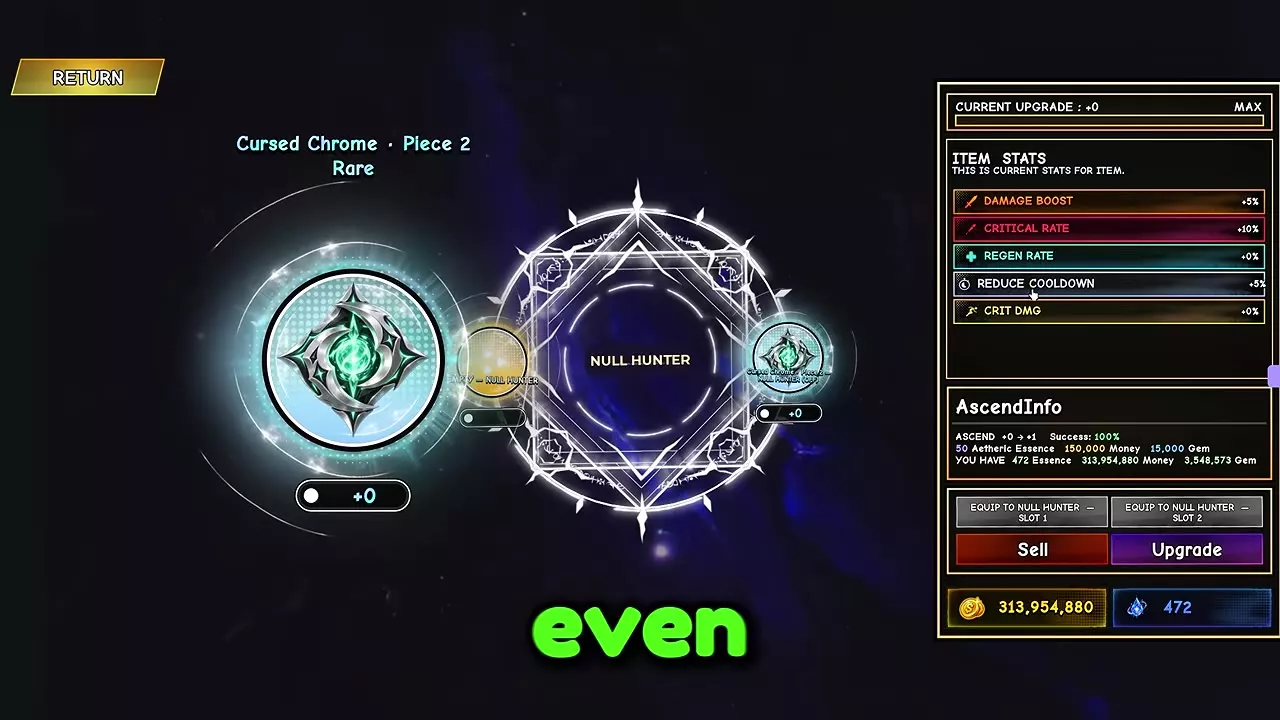
- Select the matching Piece 2 and equip it to the other slot on that same weapon or ability. For example, the Null Hunter panel has separate Slot 1 and Slot 2 buttons.
- Open Equipped and check Set Bonus for 2-Piece Resonance. The panel also has a separate Single Relic Effect entry.
Your first complete matching set equipped on one weapon or ability earns the Perfect Resonance badge. See the badge requirements for other Roblox badges.
Upgrade or Sell Glyphs
At Glyph Keeper, open Inventory and select a piece. Its AscendInfo panel lists the current and next upgrade, required materials and currency, and success rate. Gather the listed costs and select Upgrade; a successful upgrade advances the piece to the next level.
For Cursed Chrome · Piece 2, the +0 to +1 upgrade costs 50 Aetheric Essence, 150,000 Money and 15,000 Gems, with a 100% success rate. At +0, this Rare piece gives 5% Damage Boost, 10% Critical Rate and 5% Cooldown Reduction; its Regen Rate and Critical Damage bonuses are 0%.
To sell one piece, select it and use Sell on its detail panel. To sell several, select them in Glyph Inventory and use Sell Glyphs.
1 objects
| Name | Rarity | ||||||||||||||||||||||||||||||
|---|---|---|---|---|---|---|---|---|---|---|---|---|---|---|---|---|---|---|---|---|---|---|---|---|---|---|---|---|---|---|---|
Rare
| |||||||||||||||||||||||||||||||
| |||||||||||||||||||||||||||||||
Dungeon Rewards and Essence Sources
Aetheric Essence also comes from boss fights, ordinary combat, Curse Outbreak fights and dungeon loot. Nightfall lists a 20% Essence drop chance, while the Solo Island summons Shade Fangs and Mirage each list 40%. Farm Nightfall if you also need Nightfall Chips; choose a Solo summon when its other drops suit your goal.
See Aetheric Essence sources for the material’s drop details.