
Multiversal Piece Accessory Upgrades: Stars and Sacrifice
Upgrade accessory stars and turn spare copies into shards at the Blacksmith on Starter Island.
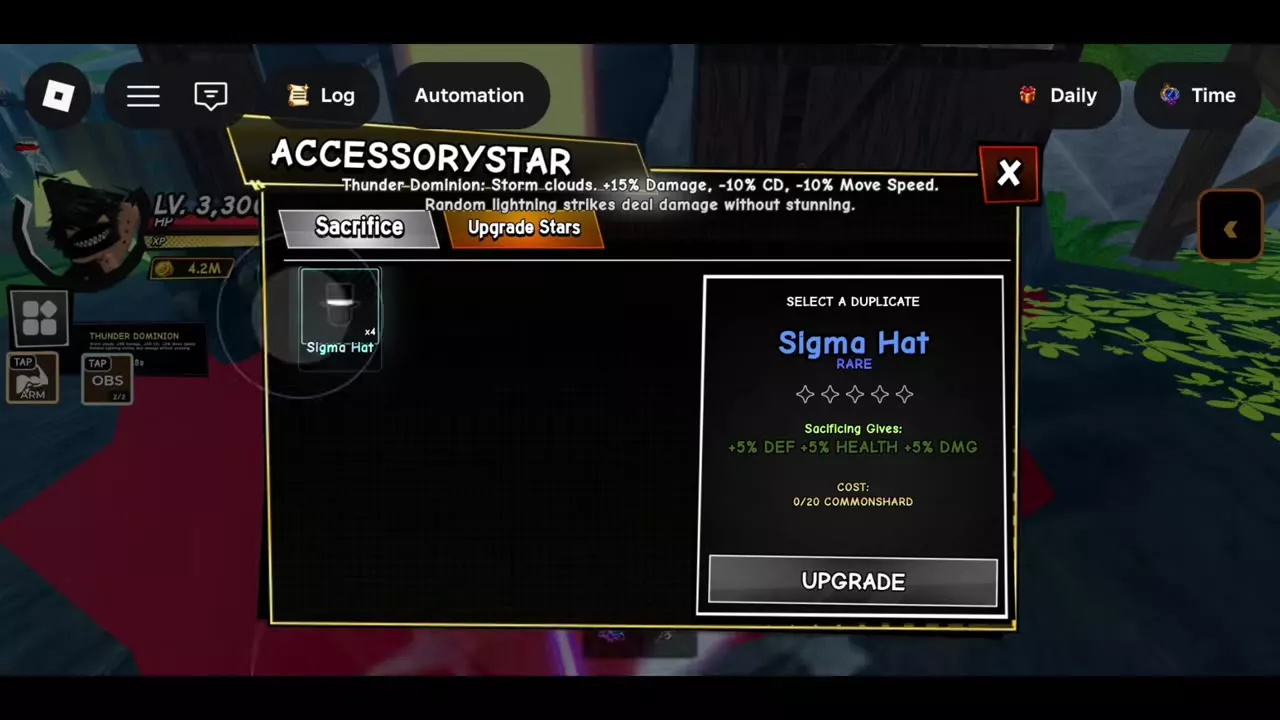
Track the Starter Island Blacksmith and open Ascend Accessory. Use Upgrade Stars to check the selected item's shard cost; a 0-star Sigma Hat needs 20 Common Shards for its next upgrade. Sacrifice converts spare copies into shards and keeps one copy.
Find Ascend Accessory at the Blacksmith
Open Guide Tracker, choose Starter Island, and track the Blacksmith. Follow the distance marker to the NPC and interact with Ascend Accessory. The Accessory Star menu has two tabs: Upgrade Stars and Sacrifice.
Check and Upgrade Accessory Stars
- Select Upgrade Stars, then select the accessory you own.
- Check its current stars, the required shard type, and the amount you own against the cost shown.
- Gather the required shards and use Upgrade.
A 0-star Sigma Hat displays five empty star slots and requires 20 Common Shards for its next upgrade. A counter of 0/20 means you need 20 more.
For that 0-star hat, Sacrificing Gives lists +5% DEF, +5% HEALTH, and +5% DMG. Read those values in the preview; use the accessory's Total Buffs panel to check its equipped stats.
Sacrifice Duplicate Accessories
- Open the Sacrifice tab and select an accessory from the duplicate list.
- Read the shard reward preview for the selected accessory.
- Use the sacrifice action to consume eligible spare copies and receive shards.
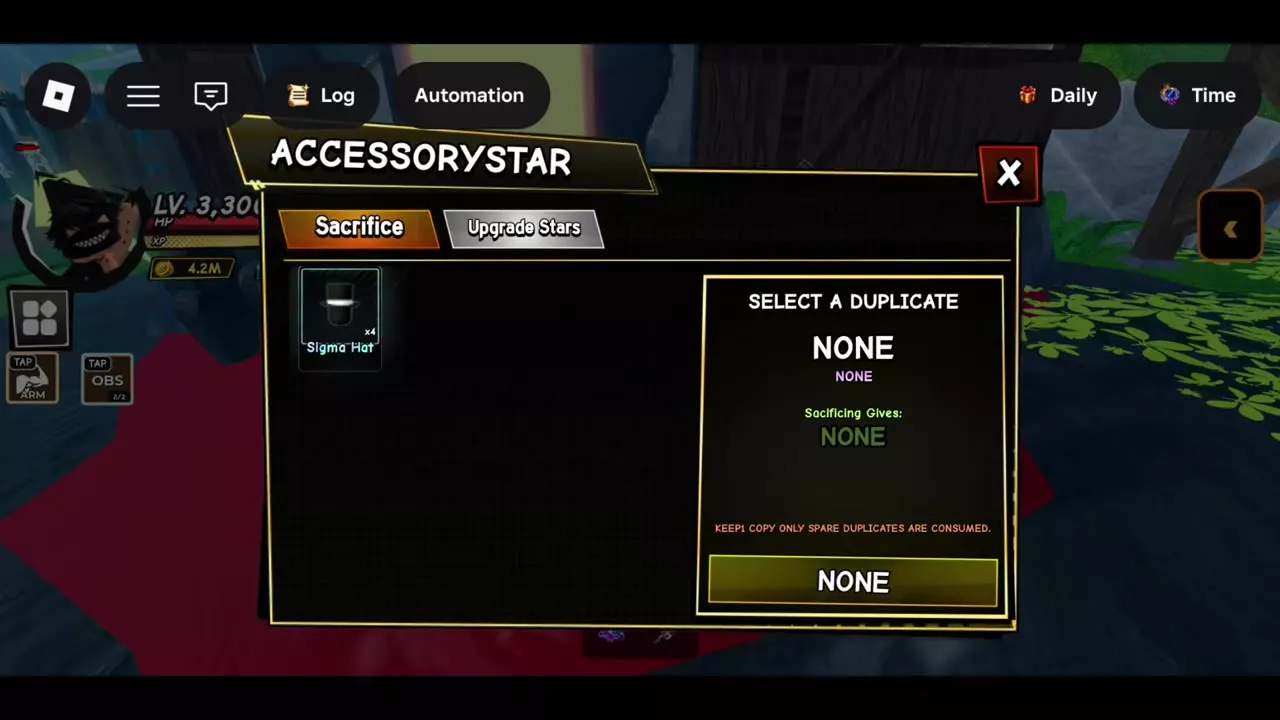
The menu keeps one copy. If you have four Sigma Hats, three are spare copies; if you have one, there are no extras to sacrifice. Before you select an accessory, the reward and action fields show None.
Find More Accessories
Browse the accessory directory for equipment and sources. For boss drops, the boss directory lists encounters including Honored One, Shade Fangs, and Mirage.